One next step, always.
Every Project shows where it stands and the one move that comes next: Award the work → Crew is on location → Post-job report received → Close Project. Nothing skips ahead, so the status is always true.

Wellsite isn’t a chatbot bolted onto a legacy application. It’s an agentic operations platform built from the ground up for agents to do the work.
Getting started
Create your operator organization with your company email and invite your team. Everyone’s included, with no seat fees. A card on file verifies your identity. It isn’t charged until you turn on Premium.
A well is its lease and its number — Lucky Dog #1 is well 1 on the Lucky Dog lease. Add an API number and its production history syncs in the background, so the record starts full instead of empty.
From the day a well is added, the Production Engineer looks at every gauge. On the Free plan you see what it found and what’s at stake.
Upgrade to Premium — $499 a month for your whole organization. Every finding opens, and your agents start working within the authority you set for each one.
The operating loop
Once your agents are working, here’s what a fix looks like. Follow one well from a changed gauge to a measured result, and see exactly where you come in.
A gauge lands on Lucky Dog #1. Runtime is down and tubing pressure has shifted, but water cut hasn’t moved. The Production Engineer recognizes a mechanical wear pattern — and rules out the reservoir, because a reservoir problem moves water first.
Your part
The finding reaches you with the diagnosis, what was ruled out, and what it’s worth, priced against your own price deck. The call is already made: Do it, Wait, or Watch. You say do it.
This fix needs a crew, so the Operations Manager asks your team for a provider, a quote, and a date. If the quote is inside its spending ceiling, it opens a Project, awards the job, and schedules the crew. If it’s above, it asks you first.
The Operations Manager sends someone to meet the crew on location. The service company works the job inside the Project, and everything they do is recorded against the well under their name.
Your part
Enter the actual cost. That’s all closing takes.
Once enough gauges come in, the Production Engineer measures the well before and after, against what the job was supposed to deliver.
14 gauges since close. Rate 22.4 bopd vs 15.1 before.
7.3 bopd against 9.0 expected — 81% of the estimate.
Came in $1,200 under quote.
Every job ends the same way: met, mixed, or missed, in plain words, with the dollars beside it.
Getting the work done
Not every fix needs a crew. The Operations Manager sizes the work to the problem.
Check a well that went down. Confirm a reading. Track down a missing number. The Operations Manager assigns the task to the right person and follows it until it’s done.
An acid job, a workover, a rod change, a repair. Most Projects start from a finding. You can also open one yourself.
Every Project shows where it stands and the one move that comes next: Award the work → Crew is on location → Post-job report received → Close Project. Nothing skips ahead, so the status is always true.
The planned cost and start date are set when the work is awarded, so the actual cost has something to be measured against.
Enter the actual cost, and the job is written into the permanent history of every well it touched, the service company’s access ends, and the Production Engineer starts measuring the result.
Working with service companies
Invite them to the Project — from the Wellsite directory, or by email or phone if they’re not on Wellsite yet. Once they accept, they work the job alongside your team and your agents.
Award the Project and the job is scheduled with them. Crew not on Wellsite? Award it to them by name.
A task you assign to someone at the service company shows up as theirs, just like work inside your own company.
Their work stays in your records, under their name — Jane Smith · ABC Well Service — long after the job is done.
They see the well’s overview, projects, equipment, and documents. Never your production, economics, people, or any other well.
Built-in backstops
Agents are for judgment. Some things shouldn’t need any.
Zero runtime or zero production goes straight to whoever pumps that route. No setting, no plan, and no agent can make Wellsite miss it.
If a report is still open seven days out, Wellsite raises it — whether or not the agent is on.
They go out by push, email, and text, whatever anyone’s notification settings say.
The field answers back
Each morning, the Operations Manager texts every pumper their route, one well at a time. The pumper replies with the numbers, or DOWN, and the next well comes back. No login, no download. If a route goes quiet, the Operations Manager notices and follows up.
Morning route: Amy Lou #1 (A). Reply with the numbers, e.g.
A oil=318 gas=742 tbg=310 csg=185 — or DOWN if it ran short.
3 more after this one.
Photograph it from the Gauge app. Wellsite reads the ticket number, barrels, BS&W, and hauler, and flags anything it isn’t sure of so the office knows exactly what to check.
Text, app, or office — it’s the same record, and the agents see it the moment it arrives.
Managing by exception
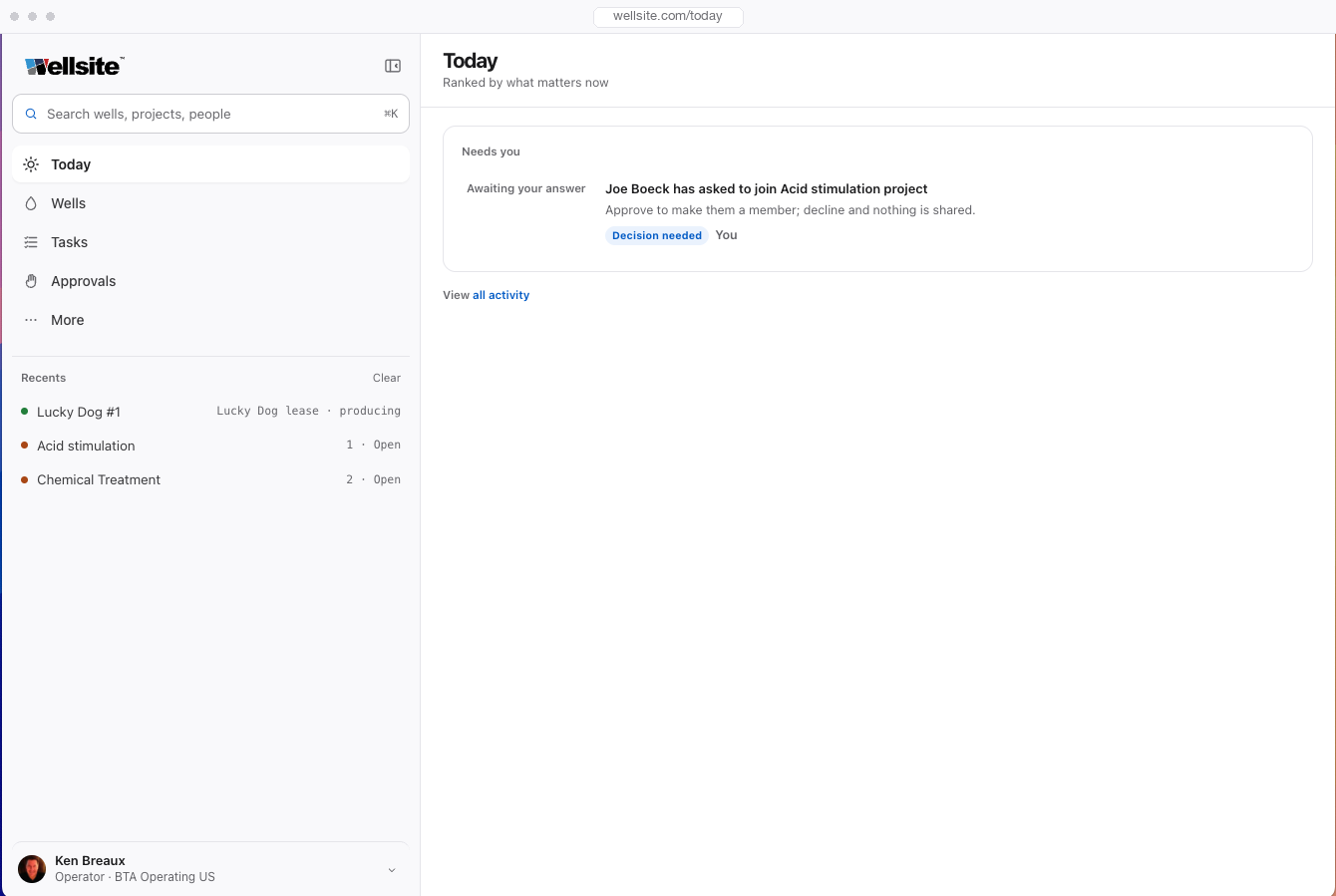
Open Wellsite in the morning and the first thing you see is a sentence, not a dashboard:
3 things on you, 5 moving without you.
Decisions your team has prepared and stopped on. Nothing moves until you answer.
Work the agents and your people are carrying.
Work waiting on a service company, a hauler, or someone outside.
A healthy well doesn’t ask for your attention. Wellsite is loud about work and quiet about everything that’s fine.